KueIt Features
The go-to audio sampler soundboard app for DJs and live performers

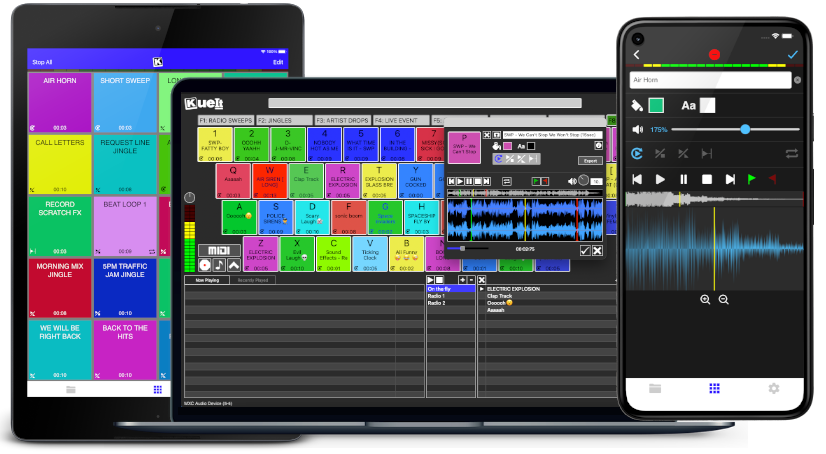
Uniquely designed audio sampler app for your sound effects, audio drops & jingles
The DJ soundboard app is available for macOS, Windows, the App Store & Google Play
30 day money back guarantee for desktop and 7 day FREE trial for mobile devices!!!
KueIt DJ sound effects app can be used in many settings
Replace large bulky machines with this cost-effective DJ soundboard app
KueIt audio sampler app allows you to play all your drops, jingles, and sound effects
Performers, arm yourself with an arsenal of audio files at your fingertips with a handy DJ soundboard app
Instantly trigger the appropriate sound for the big play straight from your computer or mobile device
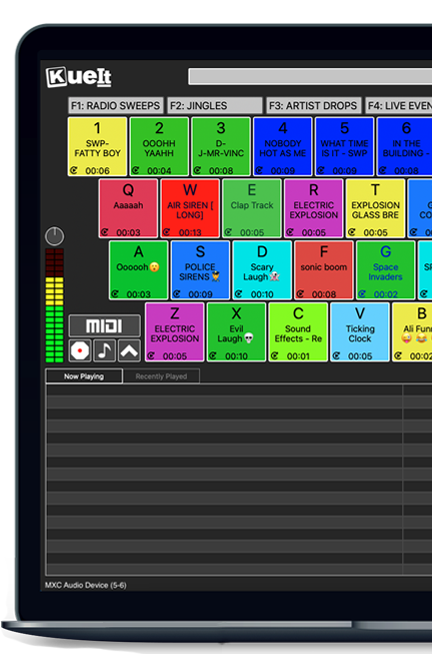
KueIt gives you the flexibility you need. Load your audio tracks to your profile and customize your layout. Trigger your drops, jingles, sound effects and songs instantly by the touch of your fingertips.
Enjoy your very own audio sampler app packed with amazing features
Our cloud covers different sound types including sound fx, voice tracks, beat loops, percussion & more!
* Cloud access is only offered for KueIt Mobile Pro Plan
users
* Pro Plan available via in-app purchase
KueIt was designed for the serious DJ, podcaster, producer, or broadcaster. The easy yet reliable performance of the KueIt soundboard app makes it perfect for podcasts, nightclubs, TV, live concerts, sporting events, school gymnasiums, and anywhere that quality music, jingles, or sound effects are needed. Don't compromise the outcome of your event or broadcast. Go with a DJ sampler app system that works... KueIt.
Easily add audio clips to your profile and play them with zero delay
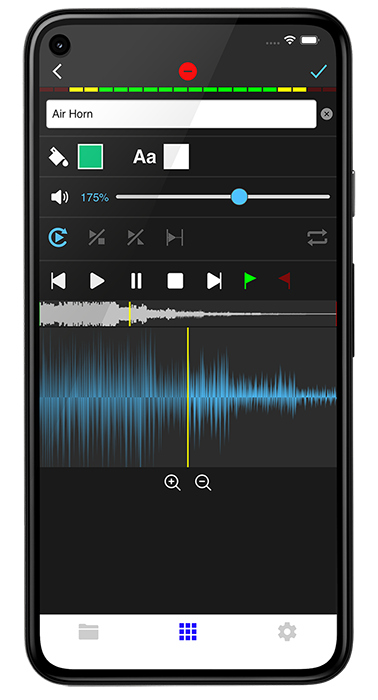
Edit name & volume. Set play mode, set up loops & start/end points via waveform
Instantly play your loaded audio clips at the touch of your fingertips
Get studio quality audio. KueIt also works with external soundcards
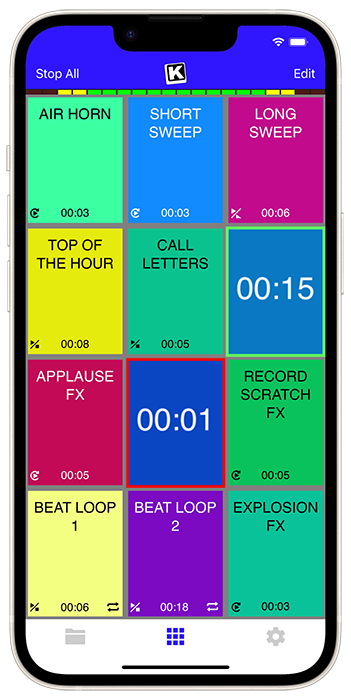
Create custom profiles in the audio sampler app and assign multiple audio clips for each profile
Set the pad color & font color of each pad
Use KueIt on macOS/Windows or iOS/Android phone or tablet
Backup your KueIt profiles via iCloud/Google Drive on mobile or via export on desktop

"KueIt allows DJs to step their game up. You can play like a radio DJ in front of a crowd, KueIt is one of the hottest programs to hit the market"

"KueIt made it easier for me to load up my sounds. No more instant replay"

"KueIt makes my life (DJing on the radio) easier, and it's extremely user friendly. After using it for only a few minutes, I felt comfortable enough to take it to the radio and get busy with it live on the air"
When properly configured using tools like OpenCore on GitHub , most core features work seamlessly:
Here are average scores from a stable Dell XPS 9570 (i7-8750H, 32GB RAM, 4K screen):
The Dell XPS 15 9570 is an excellent choice for a Hackintosh due to its impressive specifications and compact design. With a 15.6-inch 4K OLED display, up to 64GB of RAM, and a range of processor options, this laptop packs a punch. Additionally, its Intel UHD Graphics 630 and NVIDIA GeForce GTX 1050 Ti (optional) provide a solid foundation for graphics performance.
Use or MacBookPro15,3 (both use same CPU generation). Generate unique serial number, MLB, ROM, and SystemUUID.
| Component | Status | Notes | |-----------|--------|-------| | Intel UHD 630 | ✅ Fully working | Native acceleration, metal support | | NVIDIA GTX 1050 Ti | ❌ Disabled | No drivers beyond High Sierra | | Internal Display (4K/1080p) | ✅ Working | Brightness keys need patching | | Audio (ALC298) | ✅ Working | AppleALC.kext layout-id 11 or 21 | | WiFi (Killer 1535) | ❌ Not working | Replace with Intel AX210 or Broadcom BCM94360NG | | Bluetooth | ✅ Working | After replacement or using IntelBluetoothFirmware | | Trackpad (I2C HID) | ✅ Working | VoodooI2C with GPIO polling | | Sleep / Lid wake | ✅ Working | Needs proper USB mapping | | Thunderbolt 3 | ⚠️ Limited | Hotplug unstable; cold plug works | | SD Card Reader | ❌ Not working | Realtek USB reader unsupported | | Webcam | ✅ Working | Native macOS support |
are natively supported, providing full hardware acceleration.
The Dell XPS 15 9570 is widely considered one of the best laptops for a "Hackintosh" setup due to its hardware similarities with real MacBook Pro models. With an 8th Gen Intel processor and a high-quality display, it can run macOS smoothly for daily tasks and creative work.
The Dell XPS 9570 makes for an if you are willing to replace the SSD (if PM981) and optionally the WiFi card. Performance rivals a real MacBook Pro 15" from the same era, with better thermals and upgradeability. Expect to invest 4-6 hours for a first-time setup. Stick with macOS Monterey for the best balance of features and stability.
Some stock SSDs (like the Samsung PM981) cause system instability or kernel panics. These are often replaced with more compatible NVMe drives like those from or Western Digital. Biometrics: fingerprint reader is entirely unsupported and will not function in macOS. Setup Essentials To install macOS, you must adjust several BIOS settings (macOS cannot see drives in RAID mode). Secure Boot Developers often share pre-configured EFI folders on platforms like